

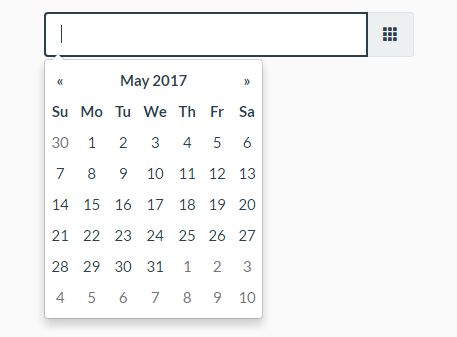
Using angular, a few of the requests were to make the date into a date picker. I have found the code and wanted to share it here
Enjoy,
Coffee Cup
<script   src="https://code.jquery.com/jquery-2.2.3.min.js"   integrity="sha256-a23g1Nt4dtEYOj7bR+vTu7+T8VP13humZFBJNIYoEJo="   crossorigin="anonymous"></script>
<link href="https://maxcdn.bootstrapcdn.com/bootstrap/3.3.6/css/bootstrap.min.css" rel="stylesheet" integrity="sha384-1q8mTJOASx8j1Au+a5WDVnPi2lkFfwwEAa8hDDdjZlpLegxhjVME1fgjWPGmkzs7" crossorigin="anonymous">
<script src="https://maxcdn.bootstrapcdn.com/bootstrap/3.3.6/js/bootstrap.min.js" integrity="sha384-0mSbJDEHialfmuBBQP6A4Qrprq5OVfW37PRR3j5ELqxss1yVqOtnepnHVP9aJ7xS" crossorigin="anonymous"></script>
<script type="text/javascript" src="https://cdnjs.cloudflare.com/ajax/libs/bootstrap-datepicker/1.6.0/js/bootstrap-datepicker.min.js"></script>
<link rel="stylesheet" type="text/css" href="https://cdnjs.cloudflare.com/ajax/libs/bootstrap-datepicker/1.6.1/css/bootstrap-datepicker3.min.css">

<script>
$( document ).ready(function() {
    $("#from-datepicker").datepicker({
        format: 'yyyy-mm-dd'
    });
    $("#from-datepicker").on("change", function () {
        var fromdate = $(this).val();
        alert(fromdate);
    });
});
</script>

	<div class="form-group">
		<label>Date</label>
		<input type="text" id="from-datepicker"/>
	</div>